Reading Your Performance
Daily POS gives you two views of your sales performance: a back office dashboard for managers, and a POS tile for your in-store team. Both update automatically throughout the day.
Stores Performance (back office)
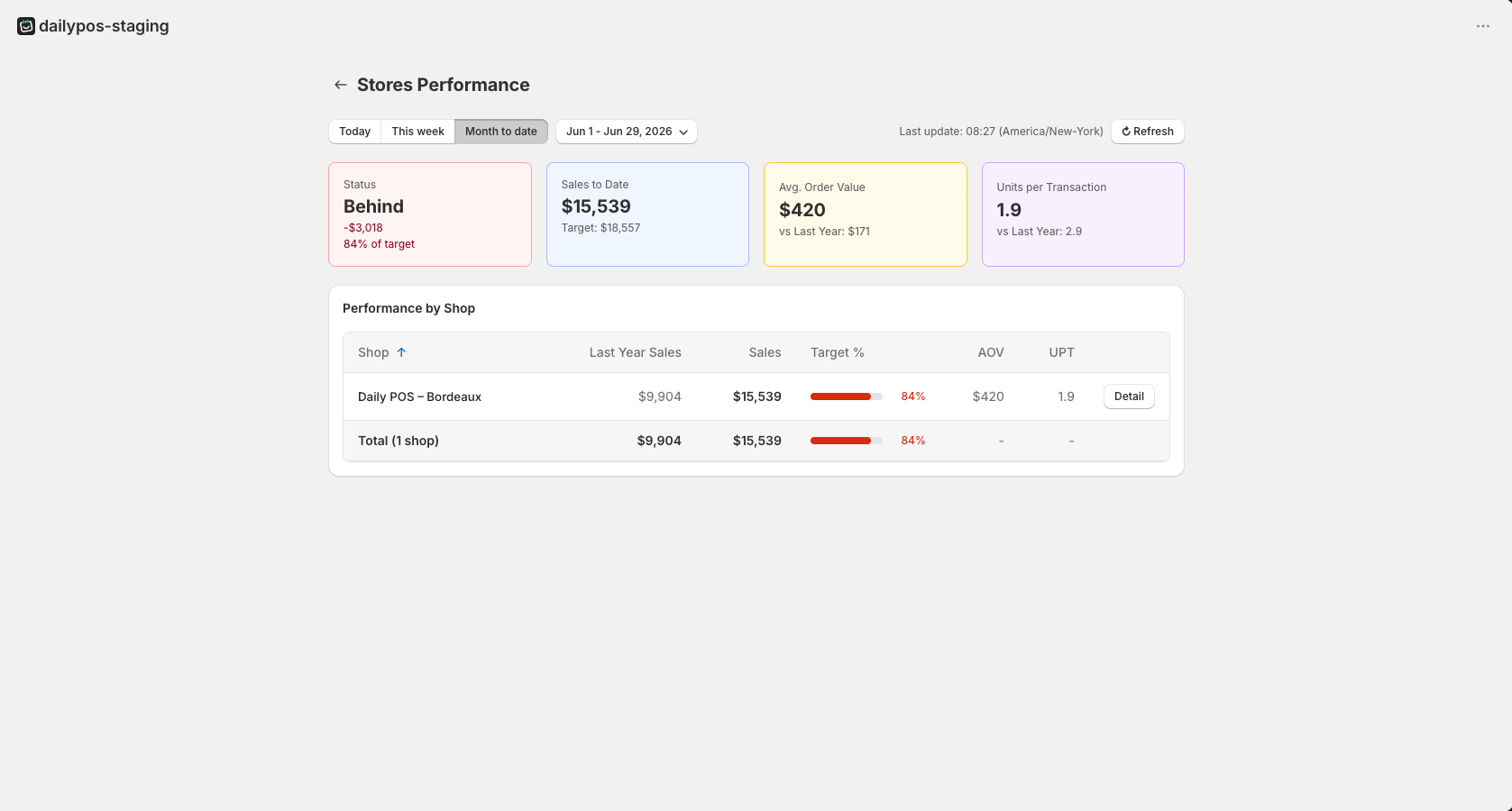
The Stores Performance dashboard is accessible from the Daily POS back office. It gives managers a consolidated view across all active locations.
At the top, four summary cards show your overall status for the selected period:
- Status: whether you are on track, behind, or ahead of target, with the gap in revenue and percentage of target reached.
- Sales to Date: your total revenue for the period vs. the target.
- Avg. Order Value: your current AOV compared to last year. (Pro)
- Units per Transaction: your current UPT compared to last year. (Pro)
Below the summary, the Performance by Shop table lists each location with its last year sales, current sales, target percentage, progress bar, AOV, and UPT. Click Detail on any location to drill into its daily breakdown.
You can filter by Today, This week, or Month to date using the buttons at the top. The last update time and timezone are shown on the right. Click Refresh to pull the latest data.
Retail Goals tile (POS)
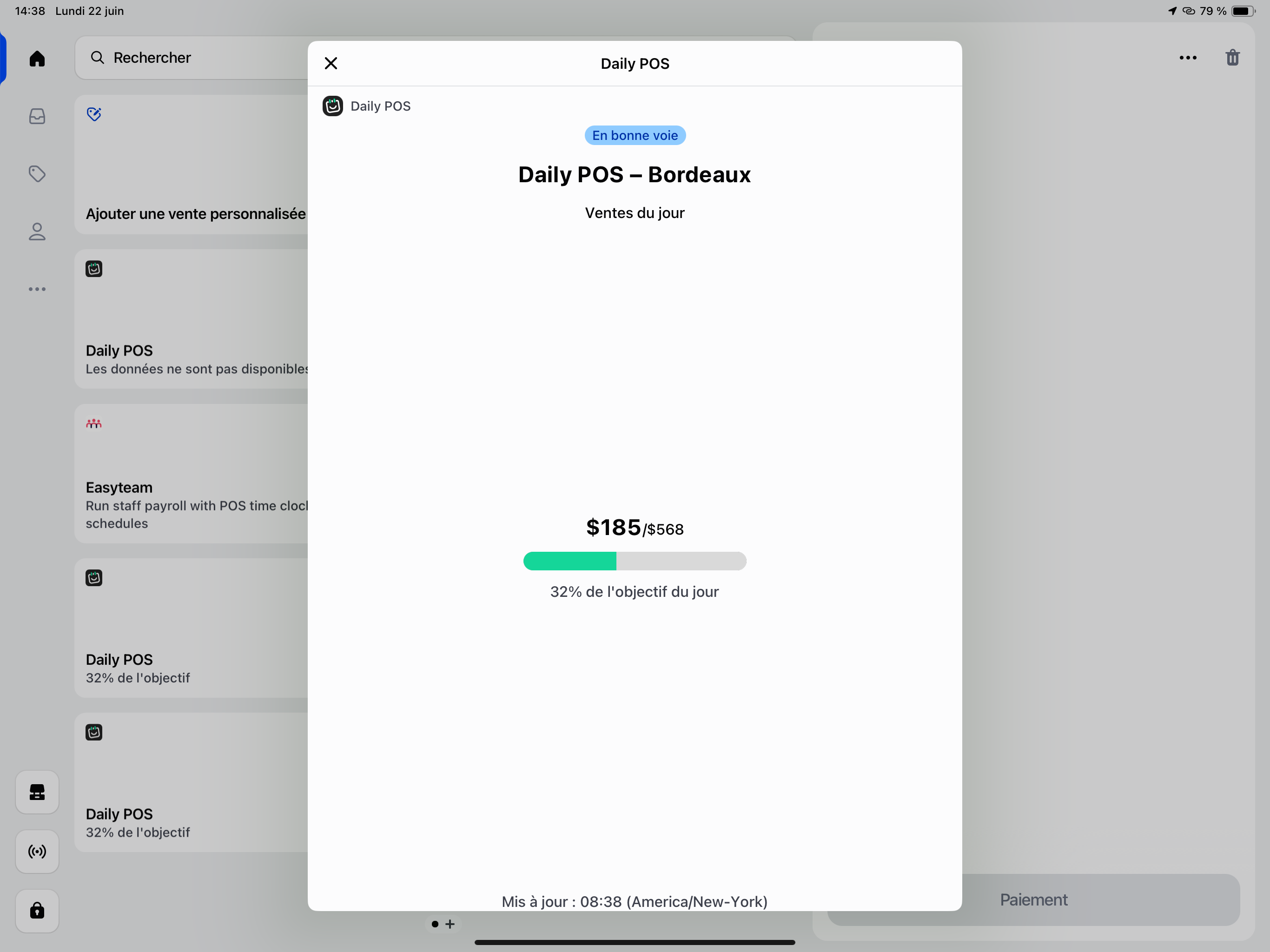
The Retail Goals tile is visible to your in-store team directly on the POS tablet. It shows:
- The store name
- Today's revenue vs. the daily goal (e.g. $321 / $568)
- A progress bar
- The completion percentage (e.g. 32% of today's goal)
- A status message ("On track" or "Goal reached")
- The last update time and timezone
The tile is designed to motivate without creating pressure. When the goal is comfortably within reach or already hit, the experience is celebratory. When the store is significantly behind, the display stays calm and neutral.
A note on update frequency
Neither view is real-time. Data refreshes automatically at regular intervals. The last update time is always shown so your team knows how fresh the numbers are.